How to Install Mods into your ATS Server
Video guide:
Step 1 — Install / enable your mods in ATS
Open American Truck Simulator on your PC.
From the main menu, go to:
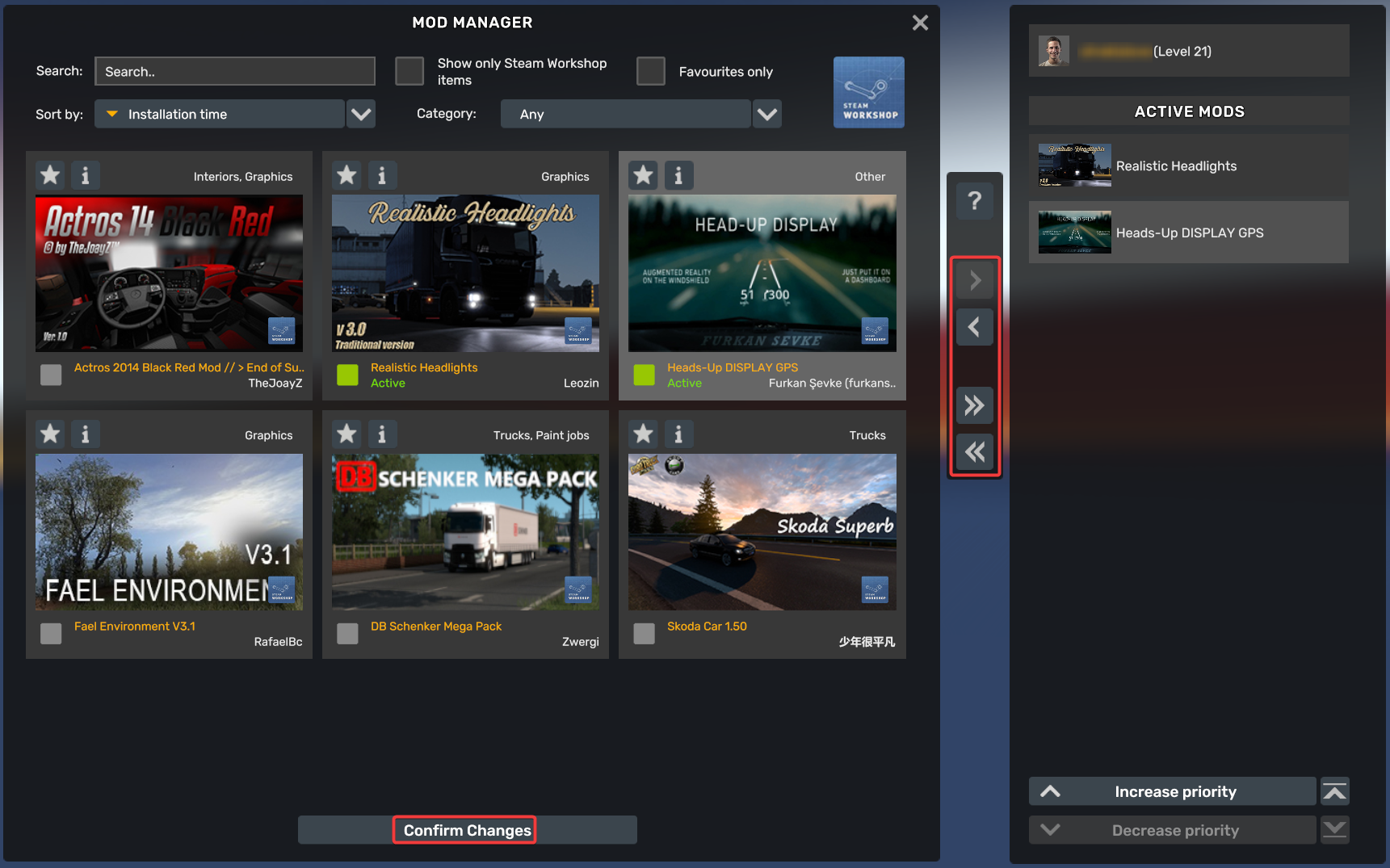
Mod Manager

Install/select the mods you want from Steam Workshop, then move them into the Active Mods list.
Make sure the load order is how you want it.
Then click confirm/apply and load into single player once.
Step 2 — Check your DLCs
From the ATS main menu, open:
DLC Browser
Make sure any DLCs you want the server to use are installed and enabled on your client.
This matters because the exported package files include information about your active DLCs and mods.
Step 3 — Enable the developer console
Close the game first.
Go to this folder on your PC:
C:\Users\YOUR_WINDOWS_USER\Documents\American Truck Simulator
Open:
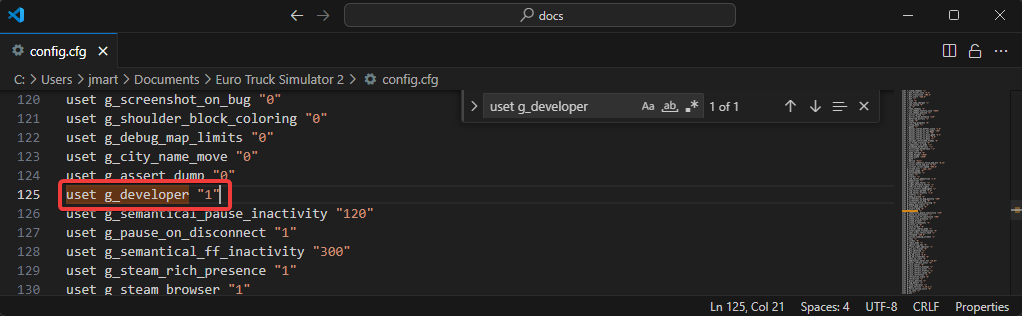
config.cfg
Find this line:
uset g_developer "0"
Change it to:
uset g_developer "1"
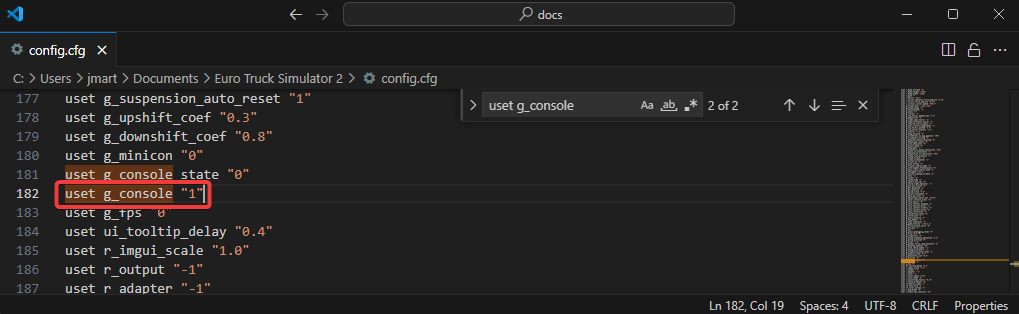
Then find:
uset g_console "0"
Change it to:
uset g_console "1"
Save the file.
Step 4 — Export the server packages
Open ATS again.
Load into the game with your mods active.
Open the console using one of these keys:
`
~
\
The correct key depends on your keyboard layout.
In the console, type:
export_server_packages
Press Enter.
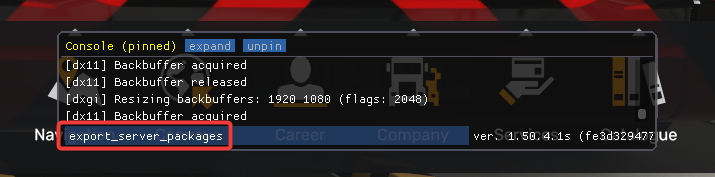
ATS should now create these two files in your Documents ATS folder:
C:\Users\YOUR_WINDOWS_USER\Documents\American Truck Simulator\server_packages.dat
C:\Users\YOUR_WINDOWS_USER\Documents\American Truck Simulator\server_packages.sii
Step 5 — Upload the files to your ATS server
Connect to your server files using FTP/SFTP or your panel’s file manager.
Go to the main/root ATS server directory.
Upload these two files:
server_packages.dat
server_packages.sii
If they already exist, replace them.
The files should sit in the main ATS server folder, not inside a random subfolder.
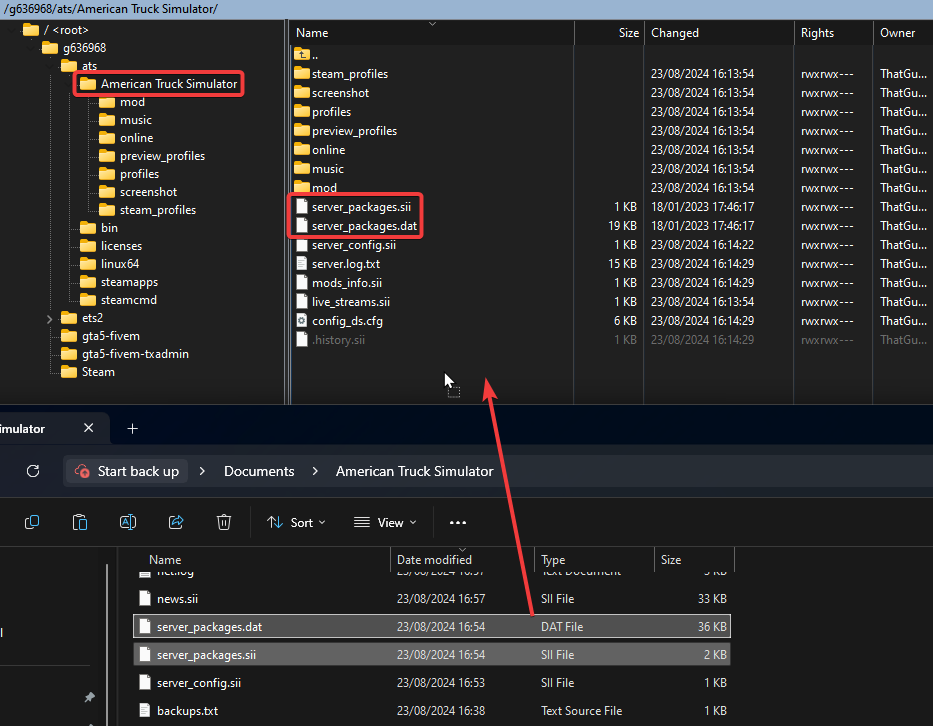
Step 6 — Restart the server
Restart the ATS server.
The server should now load with the mods/DLC setup from your exported package files.
Important notes
Players need the same required mods to join. If they do not have the mods installed, ATS should prompt them to download the missing Workshop mods.
If you change mods later, you need to repeat the process:
Enable/change mods in ATS
Export server packages again
Upload the new server_packages.dat and server_packages.sii
Restart server
Quick version
1. Open ATS
2. Enable mods in Mod Manager
3. Check DLCs in DLC Browser
4. Edit config.cfg:
   uset g_developer "1"
   uset g_console "1"
5. Restart ATS
6. Open console
7. Run:
   export_server_packages
8. Upload:
   server_packages.dat
   server_packages.sii
9. Restart ATS server



